# social settings (社交圖標設置) # formal: # icon: link || the description social: fab fa-github:https://github.com/yuehua-HNU||Github fa-brands fa-bilibili:https://space.bilibili.com/475208497?spm_id_from=333.1007.0.0||Bilibili # fas fa-envelope: mailto:xxxxxx@gmail.com || Email
十、主页文章描述
1
2
3
4
5
6
7
8
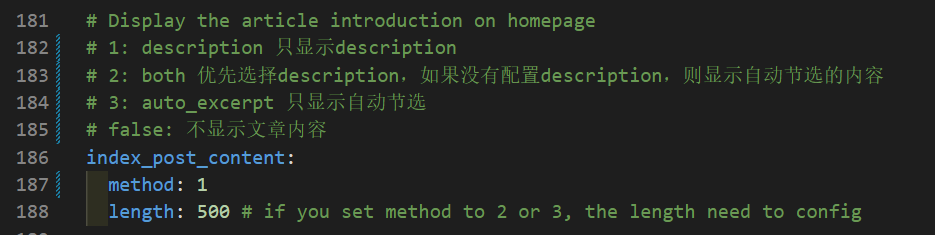
# Display the article introduction on homepage # 1: description 只显示description # 2: both 优先选择description,如果没有配置description,则显示自动节选的内容 # 3: auto_excerpt 只显示自动节选 # false: 不显示文章内容 index_post_content: method:1 length:500# if you set method to 2 or 3, the length need to config
十一、设置主页背景
在主题配置文件中找到background
1 2 3 4
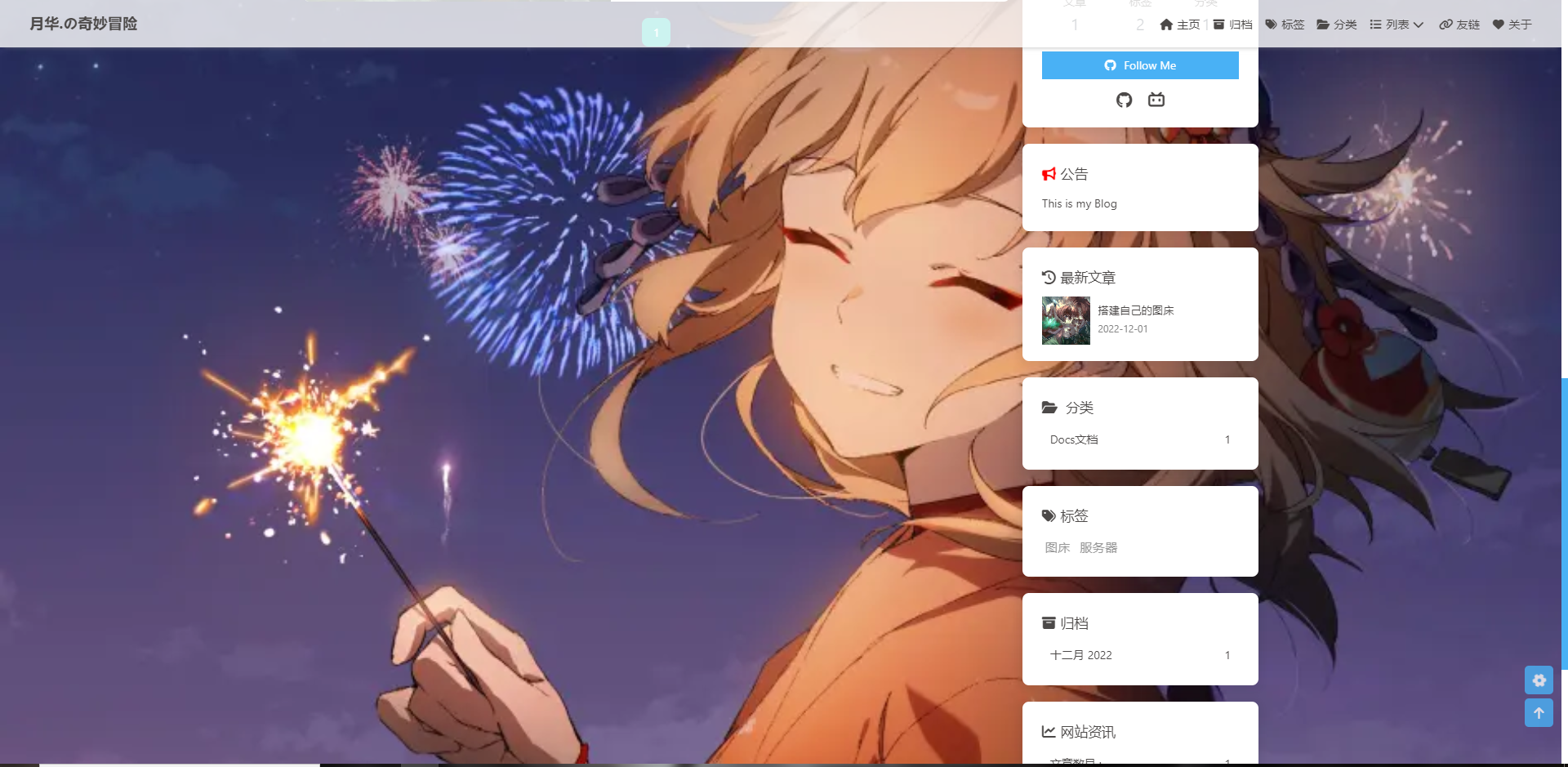
# Website Background (設置網站背景) # can set it to color or image (可設置圖片 或者 顔色) # The formal of image: url(http://xxxxxx.com/xxx.jpg) background:url(/img/宵宫绝美.webp)
十二、开启footer背景
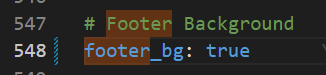
在主题配置文件中找到 footer_bg, 将属性改为 true
1 2
# Footer Background footer_bg:true
footer 背景与 top_img 相同
十三、文章页相关显示
13.1 文章信息显示
1 2 3 4 5 6 7 8 9 10 11 12 13
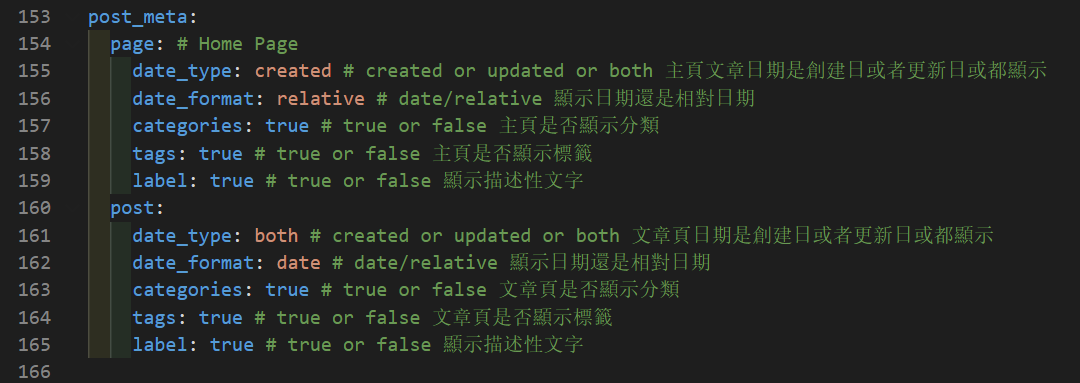
post_meta: page:# Home Page date_type:created# created or updated or both 主頁文章日期是創建日或者更新日或都顯示 date_format:relative# date/relative 顯示日期還是相對日期 categories:true# true or false 主頁是否顯示分類 tags:true# true or false 主頁是否顯示標籤 label:true# true or false 顯示描述性文字 post: date_type:both# created or updated or both 文章頁日期是創建日或者更新日或都顯示 date_format:date# date/relative 顯示日期還是相對日期 categories:true# true or false 文章頁是否顯示分類 tags:true# true or false 文章頁是否顯示標籤 label:true# true or false 顯示描述性文字
# copy settings # copyright: Add the copyright information after copied content (複製的內容後面加上版權信息) copy: enable:true copyright: enable:false limit_count:50
十七、页脚文本 & 起始年份
1
2
3
4
5
6
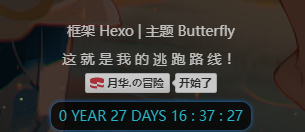
footer: owner:月华. enable:true since:2022 custom_text:这就是我的<ahref="https://github.com/yuehua-HNU/">逃跑路线</a>! copyright:true# Copyright of theme and framework
十八、右下角按钮
18.1 简繁转换
1 2 3 4 5 6 7 8 9 10 11 12 13
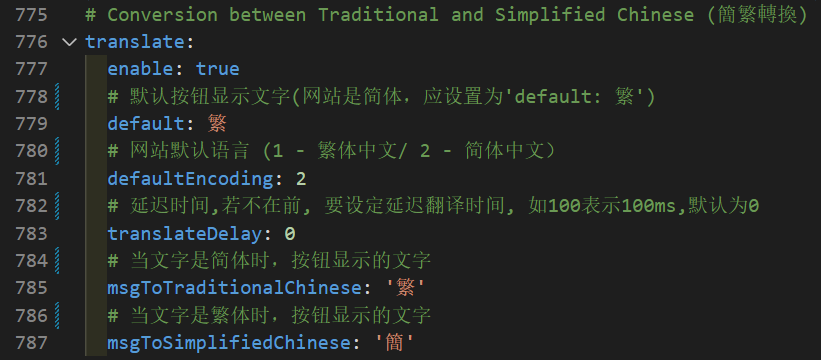
# Conversion between Traditional and Simplified Chinese (簡繁轉換) translate: enable:true # 默认按钮显示文字(网站是简体,应设置为'default: 繁') default:繁 # 网站默认语言 (1 - 繁体中文/ 2 - 简体中文) defaultEncoding:2 # 延迟时间,若不在前, 要设定延迟翻译时间, 如100表示100ms,默认为0 translateDelay:0 # 当文字是简体时,按钮显示的文字 msgToTraditionalChinese:'繁' # 当文字是繁体时,按钮显示的文字 msgToSimplifiedChinese:'簡'
18.2 夜间模式
1 2 3 4 5 6 7 8 9 10
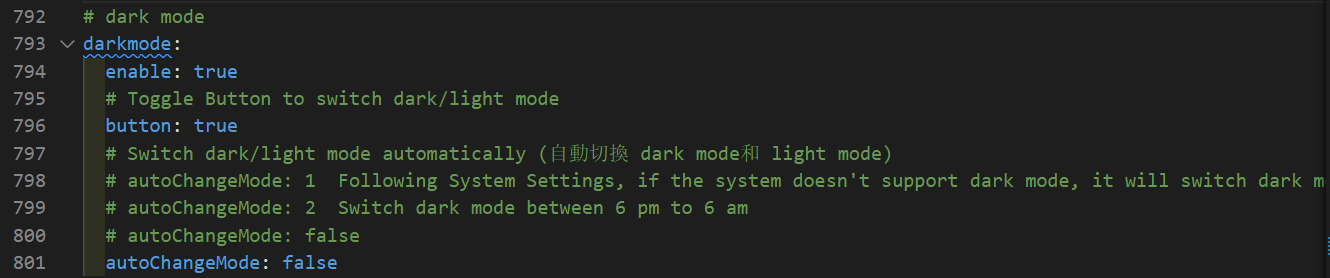
# dark mode darkmode: enable:true # Toggle Button to switch dark/light mode button:true # Switch dark/light mode automatically (自動切換 dark mode和 light mode) # autoChangeMode: 1 Following System Settings, if the system doesn't support dark mode, it will switch dark mode between 6 pm to 6 am # autoChangeMode: 2 Switch dark mode between 6 pm to 6 am # autoChangeMode: false autoChangeMode:false
18.3 阅读模式
1 2
# Read Mode (閲讀模式) readmode:true
18.4 按钮排序
1
2
3
4
5
6
7
# Don't modify the following settings unless you know how they work (非必要請不要修改 ) # Choose: readmode,translate,darkmode,hideAside,toc,chat,comment # Don't repeat 不要重複 rightside_item_order: enable:true hide:readmode,translate,darkmode,hideAside show:# toc,chat,comment
aside: enable:true hide:false# 是否隐藏 button:true mobile:true# display on mobile position:right# left or right, 展示位置 display: archive:true tag:true category:true card_author: enable:true description:我连宇宙的尽头在哪都不知道,怎么知道这个 button: enable:true icon:fa-sharpfa-solidfa-plane text:快来一起玩 link:https://github.com/yuehua-HNU card_announcement: enable:true content:图床那篇因为图片隐私问题还在修改,无限期后应该就改完了,哎嘿(doge) card_recent_post: enable:true limit:5# if set 0 will show all sort:updated# date or updated sort_order:# Don't modify the setting unless you know how it works card_categories: enable:true limit:0# if set 0 will show all expand:true# none/true/false sort_order:# Don't modify the setting unless you know how it works card_tags: enable:true limit:20# if set 0 will show all color:true sort_order:# Don't modify the setting unless you know how it works card_archives: enable:true type:monthly# yearly or monthly format:MMMMYYYY# eg: YYYY年MM月 order:-1# Sort of order. 1, asc for ascending; -1, desc for descending limit:4# if set 0 will show all sort_order:# Don't modify the setting unless you know how it works card_webinfo: enable:true post_count:true last_push_date:true sort_order:# Don't modify the setting unless you know how it works
# busuanzi count for PV / UV in site # 訪問人數 busuanzi: site_uv:true site_pv:true page_pv:true
# Time difference between publish date and now (網頁運行時間) # Formal: Month/Day/Year Time or Year/Month/Day Time runtimeshow: enable:false publish_date:12/1/202200:00:00 ##网页开通时间 #格式: 月/日/年 时间 #也可以写成 年/月/日 时间
# Aside widget - Newest Comments (最新评论) newest_comments: enable:false sort_order:# Don't modify the setting unless you know how it works limit:6 storage:10# unit: mins, save data to localStorage avatar:true
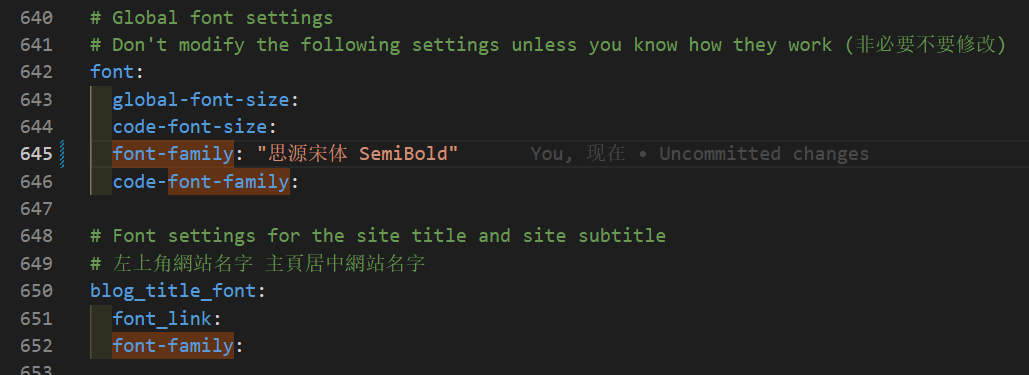
# Global font settings # Don't modify the following settings unless you know how they work (非必要不要修改) font: global-font-size: code-font-size: font-family:"思源宋体 SemiBold" code-font-family:
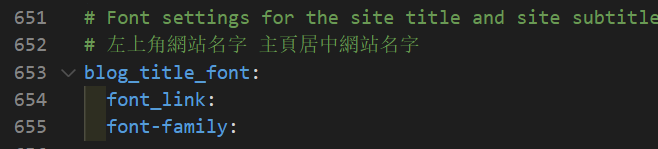
# Font settings for the site title and site subtitle # 左上角網站名字 主頁居中網站名字 blog_title_font: font_link: font-family:
22.5 页面美化
1 2 3 4 5 6
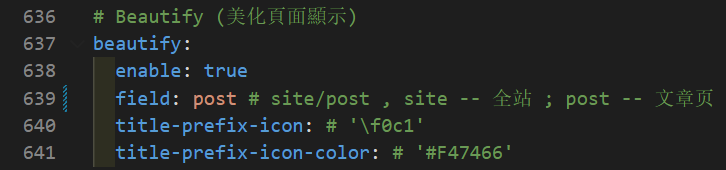
# Beautify (美化頁面顯示) beautify: enable:true field:post# site/post , site -- 全站 ; post -- 文章页 title-prefix-icon:# '\f0c1' title-prefix-icon-color:# '#F47466'
22.6 字体和字体大小
全局字体
1 2 3 4 5 6 7
# Global font settings # Don't modify the following settings unless you know how they work (非必要不要修改) font: global-font-size: code-font-size: font-family:"思源宋体 SemiBold" code-font-family:
博客导航栏标题字体
1 2 3 4 5
# Font settings for the site title and site subtitle # 左上角網站名字 主頁居中網站名字 blog_title_font: font_link: font-family:
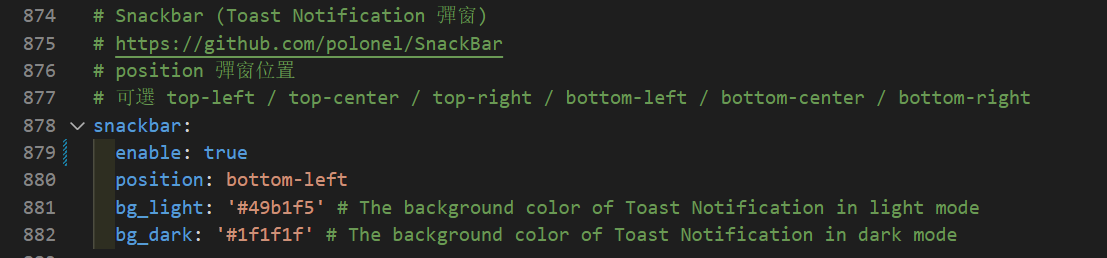
# Snackbar (Toast Notification 彈窗) # https://github.com/polonel/SnackBar # position 彈窗位置 # 可選 top-left / top-center / top-right / bottom-left / bottom-center / bottom-right snackbar: enable:true position:bottom-left bg_light:'#49b1f5'# The background color of Toast Notification in light mode bg_dark:'#1f1f1f'# The background color of Toast Notification in dark mode
二十五、Pangu
这个外挂会自动替你在网页中所有的中文字和半形的英文、数字、符号之间插入空白。
1 2 3 4 5
# https://github.com/vinta/pangu.js # Insert a space between Chinese character and English character (中英文之間添加空格) pangu: enable:true field:site# site/post, site -- 全站, post -- 文章页
二十六、CSS 前缀
自动为一些 CSS 增加前缀。(会增加 20%的体积)
1
2
# Add the vendor prefixes to ensure compatibility css_prefix:true
二十七、Open Graph
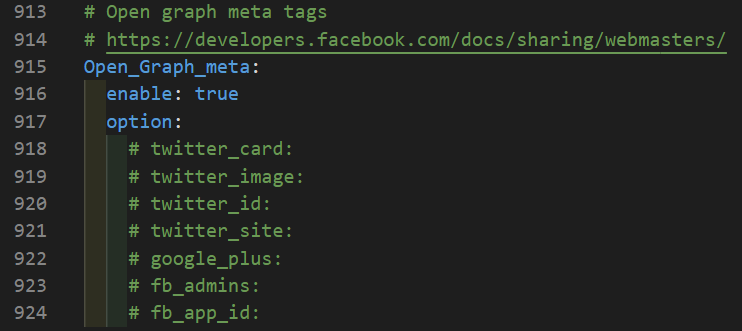
在 head 里增加一些 meta 资料,例如缩略图、标题、时间等等。当你分享网页到一些平台时,平台会读取 Open Graph 的内容,展示缩略图,标题等等信息。









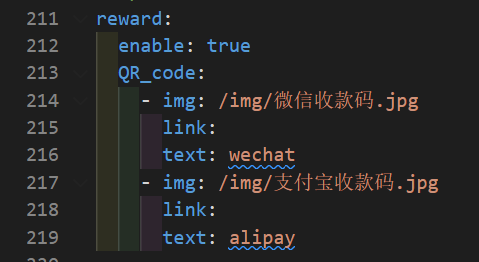













 wechat
 alipay